Scan and measure everything with AI. Your camera becomes an all-in-one visual toolkit for exploration, learning, and everyday curiosity.

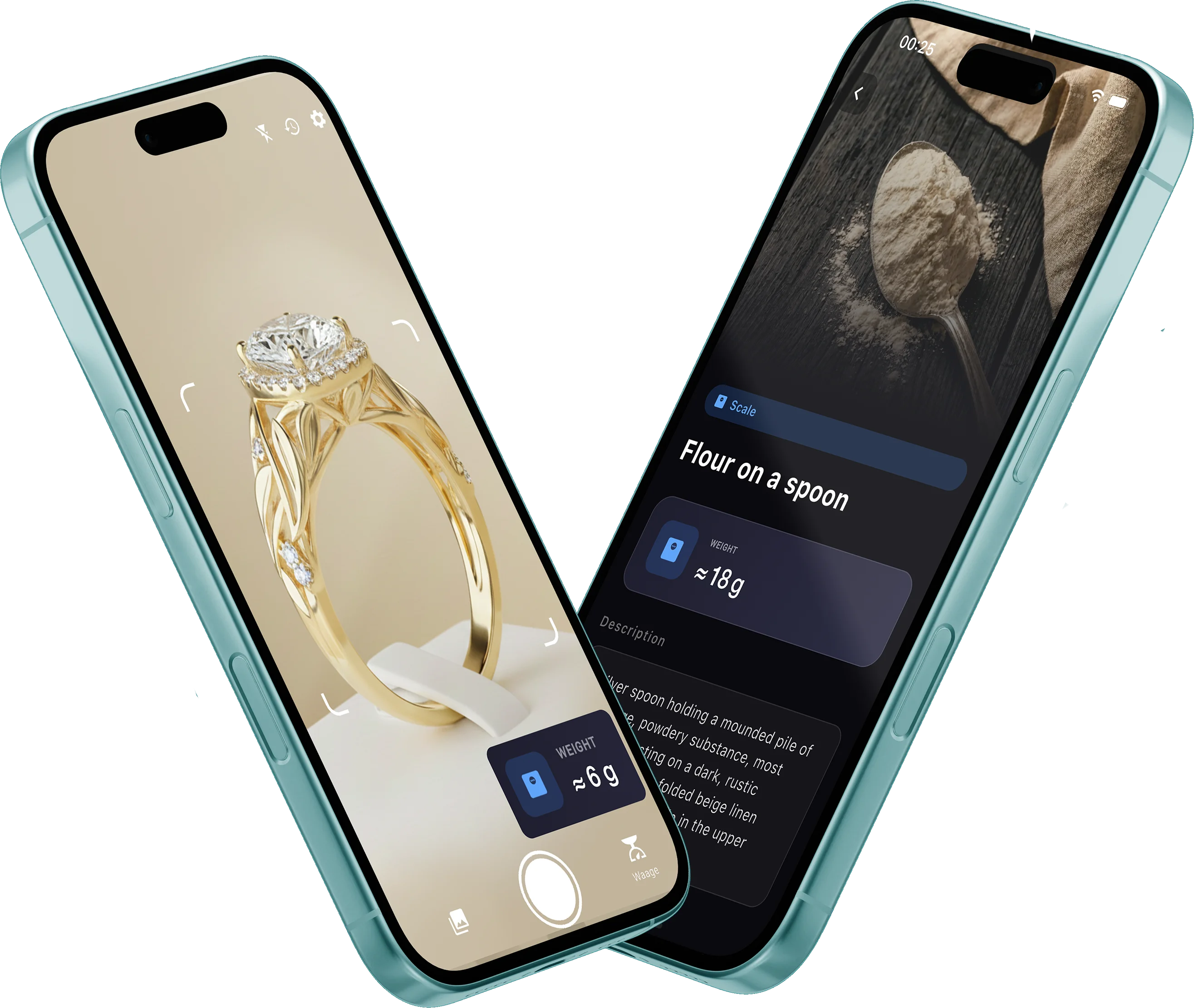
Point your camera at rings, ingredients, or everyday objects. AI analyzes the scene and returns an approximate weight estimate with a helpful visual description.
Photograph items on a scale or in context — like strawberries on a kitchen scale — and receive matching weight insights plus detailed object analysis.
Explore approximate object dimensions with a visual measuring tool. Great for learning and curiosity, not for construction or precision work.
See something unfamiliar? Snap a photo to identify plants, coins, or everyday items and get helpful information in seconds.
Count screws, coins, or small parts without manual effort. Ideal for quick estimates and simple inventories.
Capture and save color palettes from the real world — perfect for designers, artists, and creatives seeking inspiration.
Download from the App Store. Choose from Scale, Measure, Count, Plant, Currency, or Color mode.
Frame the object clearly. For weight mode, ensure good lighting and a recognizable subject in view.
Receive AI-powered approximations with descriptions — for exploration and learning, not precision use.


ScaleScan is an AI-powered iPhone app that estimates weight, dimensions, and more from your camera. It combines scale, measure, count, plant ID, currency recognition, and color tools in one place.
No. ScaleScan provides AI-generated visual estimates only. It is not a physical scale or precision measuring device. Results are approximate and not intended for cooking, shipping, or commercial use.
ScaleScan includes six modes: Scale (weight estimation), Measure (dimensions), Count (automatic counting), Plant (identification), Currency (coin and banknote recognition), and Color (palette extraction).
Accuracy depends on lighting, angle, and object type. All results are rough approximations for educational and exploratory purposes. Never rely on ScaleScan for safety-critical or professional measurements.
Students, hobbyists, creatives, and curious explorers who want a pocket AI scanner for learning and discovery — not professionals who need certified precision tools.
ScaleScan is free to download with optional in-app purchases for premium features, including weekly and lifetime access options listed on the App Store.
No articles yet. Check back soon for tips on visual estimation and product updates.